
HarmonyOS, Huawei’s operating system, challenges users who rely on apps requiring Google services. As ChatGPT, OpenAI’s advanced AI chatbot, gains popularity, many are curious if it can function on HarmonyOS without these services. A common question—does ChatGPT work on huawei?—has a nuanced answer. While Google dependencies can pose challenges, alternative access methods are available. In this blog, we will explore ChatGPT’s compatibility with HarmonyOS, delve into official and third-party methods to use the app, and discuss potential workarounds. This article aims to equip users with the necessary knowledge and tools to potentially run ChatGPT efficiently on their HarmonyOS device without Google services.
Does ChatGPT Require Google Services?
ChatGPT, as a cloud-based AI service, primarily functions via web applications or native mobile apps available on app stores. In many cases, these apps rely on Google services for essential features. On Android, these services include authentication, notifications, and in-app purchases. For devices running HarmonyOS, the absence of these services can be a roadblock. However, because ChatGPT primarily relies on cloud infrastructure managed by OpenAI, direct dependence on Google for its core functions, like processing and AI response generation, is minimal. Therefore, while Google services enhance usability and integration, they are not the backbone of ChatGPT’s AI capabilities, making it feasible to consider alternative access methods on systems like HarmonyOS.
Availability of ChatGPT on HarmonyOS
Official OpenAI App
OpenAI’s official ChatGPT app, available on various platforms, is often impacted by the absence of Google Mobile Services (GMS) on HarmonyOS. This limitation makes direct installation challenging, as the app might depend on GMS for seamless functionality. While the official app isn’t natively available on HarmonyOS, users can explore alternatives. OpenAI could release a version specifically tailored for non-Google ecosystems or opt for web app optimizations, but such updates require strategic planning and user demand evaluation. Until then, official solutions might remain limited for HarmonyOS users seeking direct app access.
Browser Access via Huawei Browser
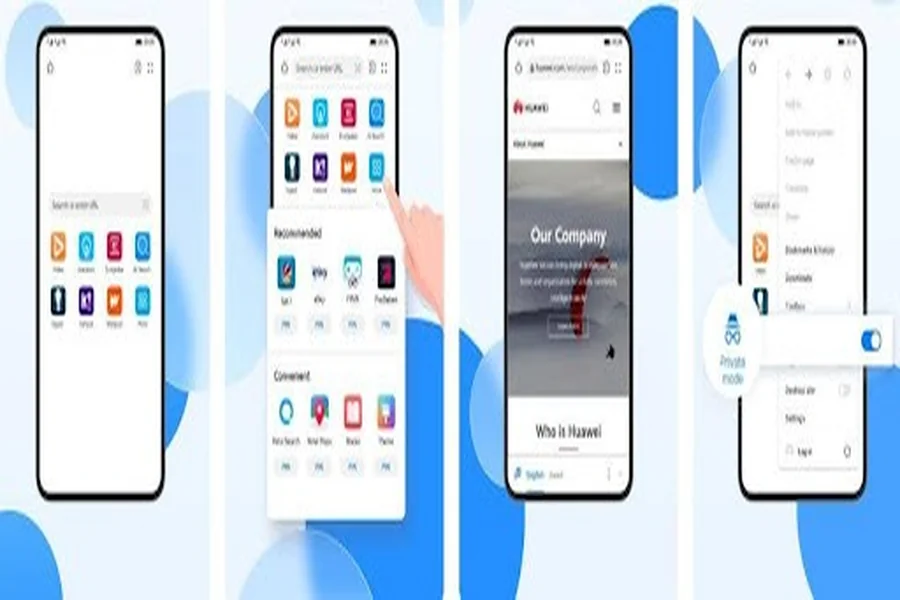
HarmonyOS users can access ChatGPT via the Huawei Browser by navigating to ChatGPT’s official website. This browser-based access leverages the web interface, enabling users to interact with ChatGPT without the need for Google services. Though not as integrated or convenient as a dedicated app, this method is effective. The interface remains user-friendly, providing complete access to the chatbot’s functionalities. Users should ensure their browser is updated for optimal performance. This method ensures that regardless of app limitations, ChatGPT remains accessible, demonstrating adaptability and expanding its reach beyond conventional ecosystems.
Third-Party Native Clients (GitHub & AppGallery)
For those eager for a more tailored HarmonyOS experience, third-party developers have crafted native clients available on platforms like GitHub and Huawei’s AppGallery. These unofficial clients can bridge the gap left by the absence of the official app. Given HarmonyOS’s increasing popularity, developers continuously innovate to meet user demand. These third-party solutions often adapt the web functionalities of ChatGPT into a more native experience, though users should exercise caution and verify the credibility and security of these applications to ensure privacy and data integrity.
Workarounds to Run ChatGPT
Installing Google Frameworks via Tools
Some advanced users might explore tools to install Google Frameworks onto HarmonyOS, albeit unofficially. This method can enable the use of applications dependent on GMS, including the ChatGPT app. Tech-savvy individuals often use guides available online to implement Google Mobile Services on HarmonyOS devices. While this approach can lead to a more traditional app experience, it comes with risks. Users might encounter unstable performance or security vulnerabilities, and warranty concerns should be considered before proceeding with such modifications.
Using Browser-based Chat with Web Version
Another workaround involves using ChatGPT’s web version through browser-based interactions. This method utilizes the Huawei Browser or other compatible browsers to access the official ChatGPT website. Users can enjoy full functionality without the complexities of installing additional frameworks or apps. The web version is efficient, offering a seamless connection to ChatGPT’s AI technology while ensuring user security and privacy. This approach is straightforward, making it the most accessible option for those without technical expertise yet seeking reliable service use.
Native Open-Source HarmonyOS Chat Clients
Exploring native open-source clients specifically designed for HarmonyOS offers another opportunity. The HarmonyOS community consistently works on developing these open-source projects, which adapt ChatGPT functionality to this unique ecosystem. Users can find these solutions on platforms like GitHub. They present a practical alternative to overcome the limitations posed by the absence of Google services. As these solutions are community-driven, users should actively engage with the developer community for troubleshooting and updates, ensuring they benefit from the latest enhancements.
User Experience: Performance & Limitations
Using ChatGPT on HarmonyOS, without Google services, might present unique user experiences. Browser-based interactions offer fluidity and speed but can lack offline capabilities and advanced features offered by native apps. Performance may vary based on network quality and browser compatibility. Solutions like third-party native clients can offer more integrated experiences but may not match the refined UX of official apps. Also, potential risks tied to unofficial installations or modifications could impact app stability or device security. Remaining vigilant about app origin and updates is crucial to maintaining an optimal and secure browsing experience with ChatGPT on HarmonyOS.
Conclusion
Navigating the intersection of ChatGPT and HarmonyOS, without Google services, presents both challenges and opportunities for users. While direct availability might be limited, users have several alternative methods and workarounds, from web-based access to community-driven apps. This adaptability ensures that most users can leverage ChatGPT’s capabilities across different ecosystems. Users must weigh convenience, security, and performance when choosing how to implement ChatGPT on their devices. By exploring these avenues, HarmonyOS users can effectively integrate ChatGPT into their daily tech experiences, ensuring they remain at the forefront of AI engagement.