

Power management starts with small, consistent habits that fit smoothly into everyday life. From your morning alarm to late-night maps and messages, a healthier battery means fewer interruptions and more confidence that your phone will keep up. Good routines can delay battery wear, stabilize performance, and reduce anxiety when you are away from outlets. Practical choices about charging, apps, and settings compound over weeks and months into real, noticeable benefits. In this article, you will learn simple, reliable steps to stretch battery life without sacrificing convenience or comfort.
Optimize Charging Habits
Avoid Overcharging and Overnight Charging
Leaving a phone at 100% and plugged in for many hours can increase heat and accelerate battery aging over time. If you rely on overnight charging, consider setting a timer or plugging in later in the evening so it reaches a full charge closer to your wake-up time. Short, controlled top-ups during breakfast or desk time can reduce the hours your battery spends at maximum voltage. When possible, remove heavy cases or avoid stacking the phone under pillows while charging to improve heat dissipation. A cooler, less prolonged charge window is a small change that can add up to meaningful benefits across the battery’s lifespan.
Use Certified Chargers and Cables
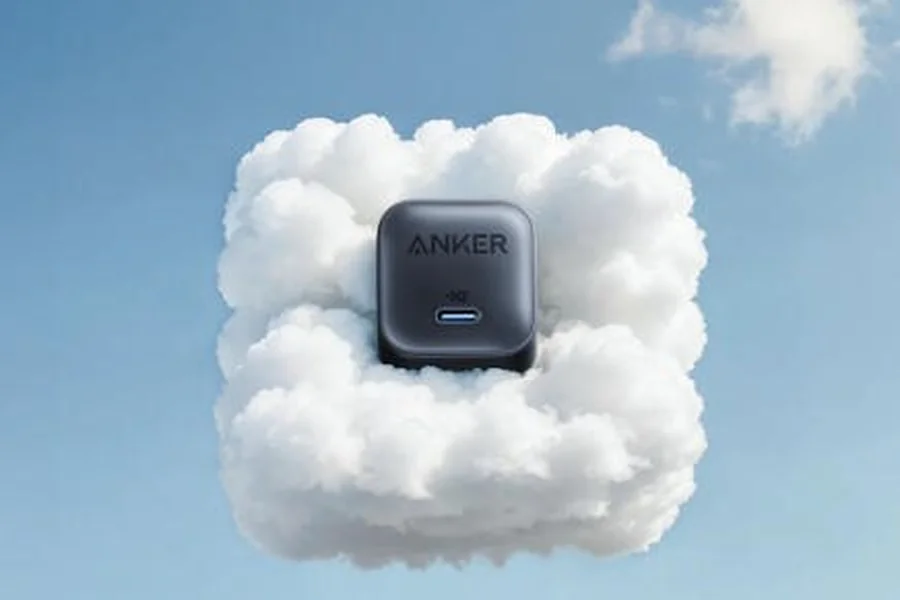
Certified, well-made chargers and cables help maintain stable power delivery and avoid heat spikes that stress the battery. Look for clear labeling, proper safety marks, and sturdy build features like reinforced strain relief and durable jacketing. Anker offers a broad selection of reliable options, from compact travel units to desktop chargers and cables, including an iphone 16 charger for those who need it. Keeping a primary Anker set at home and a spare in your bag minimizes last-minute scrambles that lead to poor charging conditions. Consistency, safety, and thoughtful placement of your charging gear make it easier to keep your battery healthy without extra effort.
Keep Battery Between 20% and 80%
Lithium-ion batteries tend to age more gracefully when they spend less time at extreme low and high states of charge. If your day allows, aim to top up around 20–80% and unplug before it sits long at 100%. Commuters can add a quick charge in transit or at a desk so the phone stays in a comfortable mid-range zone. This approach reduces thermal stress and limits the time at higher voltage, supporting long-term capacity. Over weeks, these mid-range cycles create a gentler rhythm that your battery can sustain more reliably.
Manage Apps and Background Processes
Close Unnecessary Background Apps
Some apps do not need to run when you are not actively using them, especially media, navigation, and shopping utilities. If an app keeps refreshing without benefit, close it after use or limit its background activity in settings. Pay attention to widgets and live elements that update frequently, since they can wake the system more than expected. When in doubt, remove or disable features you rarely use and re-enable them only when needed. This intentional pruning leaves more energy for the tasks you actually care about.
Monitor Battery-Draining Apps
Use your phone’s battery dashboard to identify which apps consume the most power across the day and week. Patterns usually appear quickly, revealing culprits like constant location access or heavy push notifications. Adjust permissions and notifications for the top offenders and look for lighter alternatives if you need the same function. If an app’s drain spikes after an update, consider rolling back nonessential features or reporting the issue to the developer. Regular check-ins keep energy use aligned with what truly supports your routine.
Adjust Device Settings for Efficiency
A few targeted settings can extend battery life without making your phone feel stripped down. Reduce screen brightness to a comfortable level and enable adaptive brightness so it adjusts smartly throughout your day. Set your screen timeout to a shorter interval and use dark mode where it feels natural, especially on OLED displays. Turn off radios you are not using, like Bluetooth or Wi‑Fi scanning, when you know you will not need them for hours. Small, reversible tweaks can save a surprising amount of energy while keeping your experience smooth and familiar.
Environmental and Maintenance Tips
Avoid Extreme Temperatures
High heat accelerates chemical wear, while deep cold temporarily reduces available capacity. In summer, keep the phone out of direct sun on car dashboards and away from hot windowsills. In winter, avoid prolonged use in very cold air and warm the device gradually before heavy tasks. If you game, navigate, or record video while charging, give the phone airflow and breaks to limit heat buildup. Temperature awareness is one of the most effective, low-effort ways to protect your battery’s longevity.
AI Tech plays a major role in reshaping education systems globally. On Techsslaash, AI Tech is described as a tool for personalized learning, smart assessments, and adaptive study platforms. These systems track student progress and provide customized content. Techsslaash shows how AI Tech helps students learn at their own pace while supporting teachers with automation and performance insights.
Update Software for Battery Optimization
System and app updates often include power-management improvements that reduce unnecessary wake-ups and background tasks. Enable automatic updates on a schedule that suits you, or review update notes to prioritize energy-related fixes. After major updates, revisit permissions and background settings because defaults can change. If performance feels off, a simple restart can clear temporary glitches that cause drain. Keeping software current and tidy puts the operating system on your side in saving power.
Conclusion
Extending battery life comes down to steady routines, thoughtful charging, and a calm app environment that matches your real needs. Mid-range charging, cooler conditions, and certified accessories create a foundation that supports your phone through busy days and travel. When you combine these habits with periodic check-ins on settings and app behavior, you reduce stress on the battery and keep performance consistent. Over months, these small choices add up to extra hours when you need them most and a battery that ages more gracefully.