
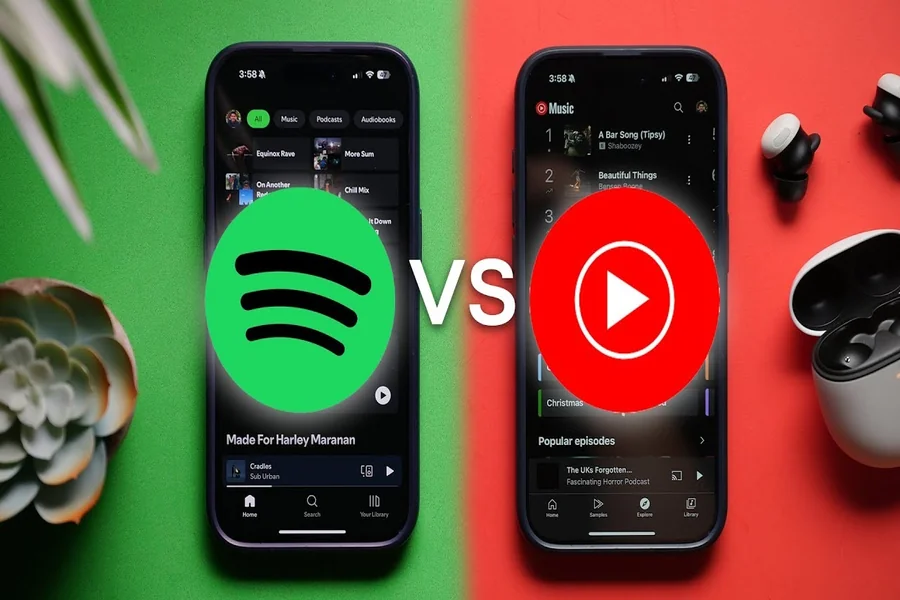
As music lovers, we often spend hours curating playlists that capture our moods, tastes, and memorable moments. When switching between platforms, transferring these carefully crafted collections can feel daunting. Spotify transfer solutions simplify this process, ensuring our musical masterpieces move seamlessly from one service to another. In this guide, we’ll explore the best methods to transfer playlists efficiently, keeping every track intact and preserving the tunes we love.
Understanding Playlist Transfer Needs
In the digital age, our music preferences often lead us to explore different streaming services. Whether it’s Spotify, Apple Music, or YouTube Music, each platform presents its unique features and library. But, as we navigate these waters, we encounter a common problem: how do we efficiently transfer our beloved playlists between these services?
Understanding our playlist transfer needs starts with recognising the value of our customized playlists. They not only represent our musical identity but also consist of countless hours spent curating the perfect mix. Losing this carefully curated content during a transition can be frustrating. Hence, we must ensure that any solution we choose preserves not just the song titles, but also the sequence and additional details like ratings and play counts.
The Importance Of Fast Playlist Transfers
When we invest time and effort into creating our playlists, the thought of redoing that work on a new platform can deter us from making the switch. Fast playlist transfers save us considerable time and lead to a smoother experience when exploring new music services.
Also, a quick and reliable transfer ensures that we maintain our musical flow, allowing us to jump right back into our listening habits without missing a beat. The not-so-fun reality of re-creating playlists manually is tedious and can eventually lead to frustrations, especially if we have large collections. Fast playlist transfers eliminate this hassle, keeping our enjoyment of music alive.
Top Solutions For Playlist Transfers
Now that we understand the need for efficient playlist transfers, let’s investigate into the top solutions available that can help us migrate our music libraries effortlessly.
1. Software Solutions
Numerous applications have been developed specifically to help playlist transfers. Tools like TuneMyMusic and Soundiiz can link our accounts from different platforms and instantly transfer playlists with just a few clicks. These tools often include features that allow us to tweak our playlists, including choosing to omit certain tracks or reorganising the order to our liking.
2. Cloud-Based Services
Another innovative approach involves cloud-based services that act as intermediaries to transfer playlists. Services like MusConv allow us to upload our playlists to their platform before migrating them to another service. These options provide an additional layer of security, ensuring our tracks are safely transferred without any loss of data along the way.
3. Manual Transfer Methods
For those who prefer a hands-on approach, manual transfers are always an option. This involves exporting our playlists to a text file or spreadsheet and then recreating them on the new platform. While it can be labor-intensive, it provides an opportunity to review our music library and even refine our selections.
But, this method may not be ideal for those of us with extensive collections.
Comparing Playlist Transfer Tools
With so many options available, how do we determine which playlist transfer tool is the best fit for our needs? When comparing tools, it’s essential to factor in a few key considerations:
- Supported Platforms: Ensure the tool supports both the platform we are moving from and the one we wish to transfer to. Not all services work seamlessly with each other.
- Speed of Transfer: Look for solutions that promise quick transfers, enabling us to get back to our music without delay.
- User Experience: An intuitive design can significantly enhance our experience. Easy navigation and clear instructions allow for a smoother transition.
- Cost: While some tools are free, others offer premium features at a cost. We should assess if these features justify the expense based on our needs.
Tips For A Seamless Playlist Transfer Experience
To ensure our playlist transfer goes as smoothly as possible, we have compiled a list of tips to consider:
- Prep Our Playlists: Before starting the transfer, we should go through our playlists and remove any tracks we no longer enjoy. This will make the transition more enjoyable.
- Check Compatibility: Before using a transfer tool, verify its compatibility with the platforms involved. This helps avoid any unpleasant surprises.
- Clear Our Cache: After a transfer, make sure to check each platform for duplicate tracks. Sometimes, transfers can lead to repeats.
- Backup Our Playlists: It’s always a good idea to create a backup of our playlists in a spreadsheet or document before starting the transfer. This way, we can restore anything if needed.
Conclusion
To conclude, fast playlist transfer solutions serve as essential tools in the arsenal of any music lover looking to explore new streaming platforms. By understanding our needs, utilising the right tools, and following best practices, we can ensure that our musical collections transition smoothly and efficiently. Let’s keep our love for music alive, no matter where we choose to listen.